
04 / Pharmacy operations
PharmaQ
A flexible platform for a simpler prescription collection process. PharmaQ connects doctors and clinics with trusted pharmacies, helps patients find them easily, and supports teams with stock, bookkeeping and incoming prescription alerts.
PharmaQ
Functionality
What PharmaQ does in practice.
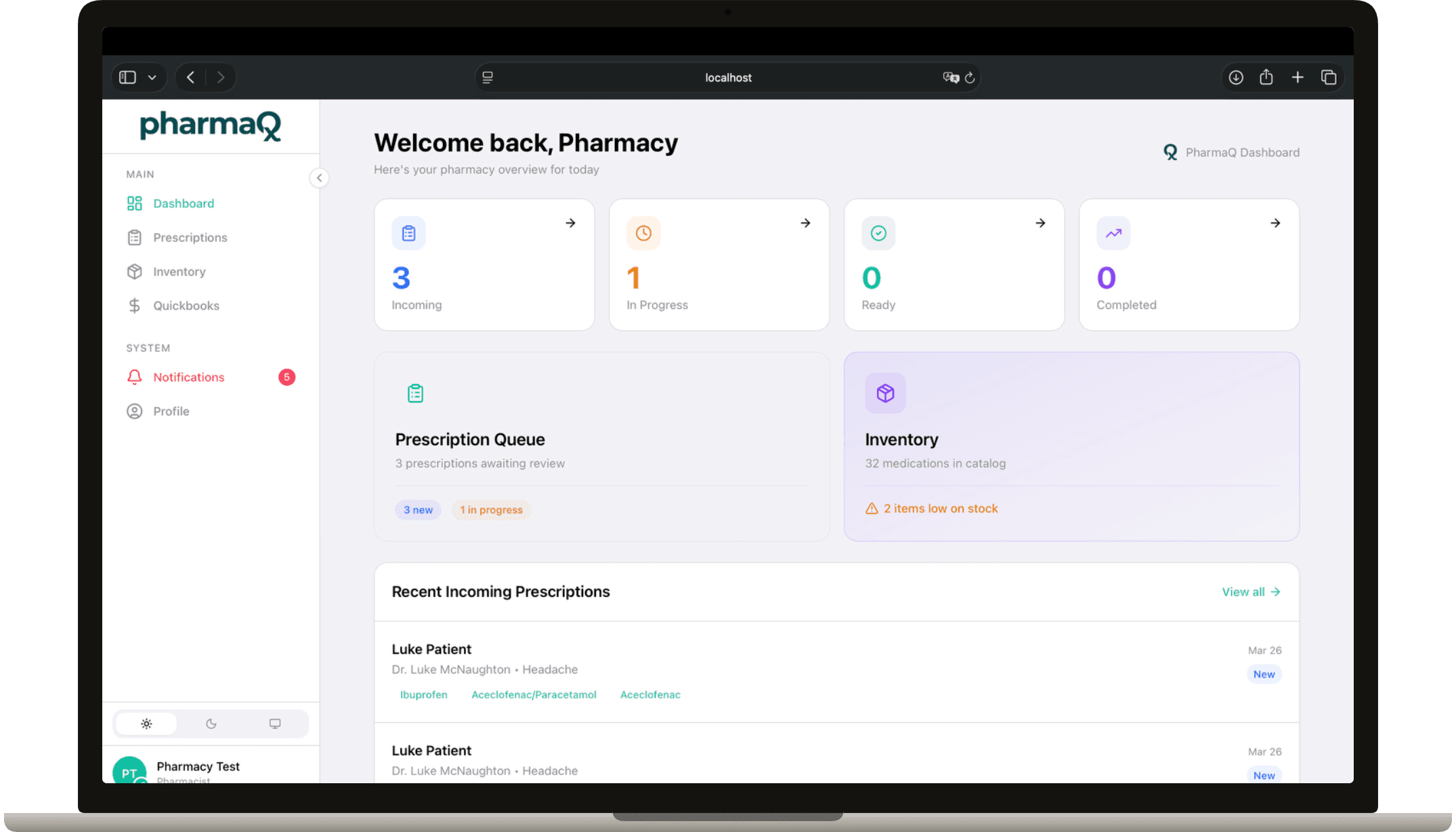
Dashboard
- At-a-glance overview
- Four headline counters — Incoming, In Progress, Ready, Completed today — backed by live fulfillment data, with quick-action cards into the Prescription Queue and Inventory.
- Recent incoming prescriptions
- The first five new prescriptions, inline with patient, prescribing doctor, medication chips, stock-issue flag, and date.
Prescriptions & fulfillment
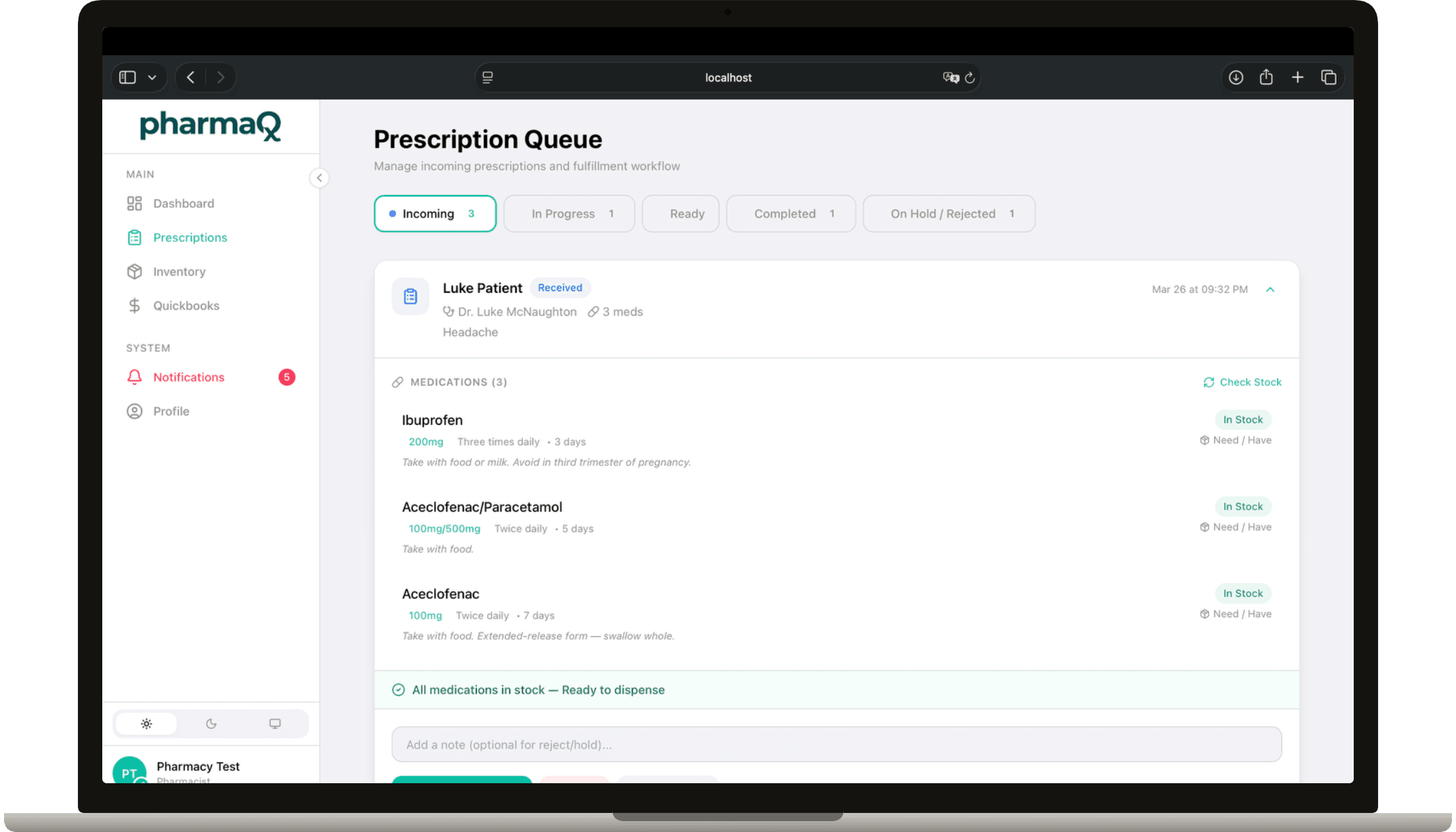
- Prescription queue
- Everything routed from Doc4 to your pharmacy in one queue. Each prescription moves through stages: received → verified → processing → ready → dispensed / picked up.
- Stock-aware verification
- Every fulfillment carries a stock check, so the UI flags items that aren't currently stocked before you commit.
- Inventory consumption on dispense
- Dispensing decrements the linked catalog rows automatically, with an offline-mutation fallback so a flaky connection never stalls a sale.
Catalog & inventory
Two related modules covering the medications you stock and the lot-level history behind them.
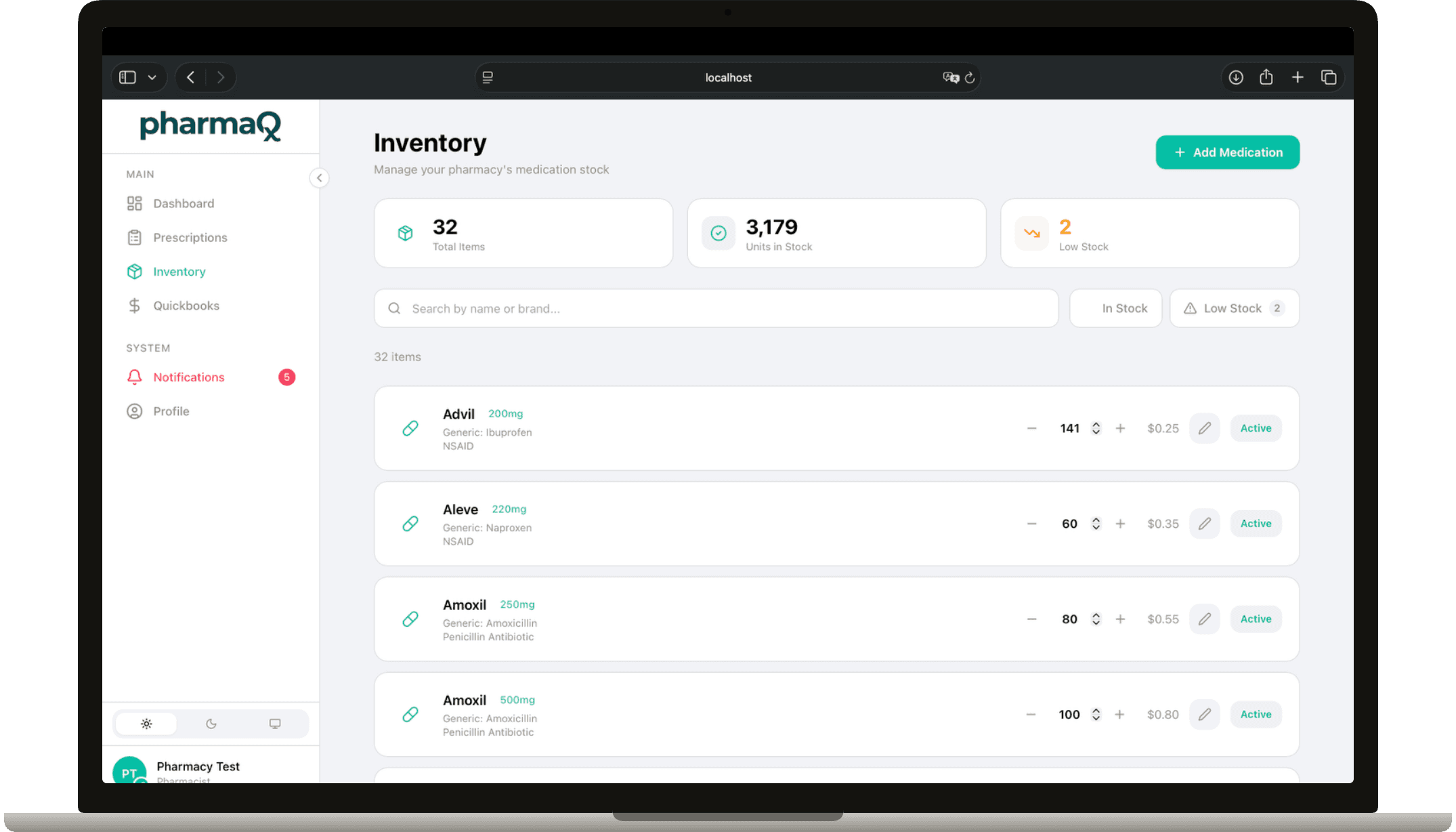
- Catalog
- The master list of medications this pharmacy stocks, sourced from a shared medication bank. Set selected brand, reorder point, and current stock per item; low-stock items are highlighted.
- Inventory
- Lot- and transaction-level view of the same items: receipts, consumption events, and adjustments. Used for audit and stock reconciliation.
Finance (QuickBooks-style)
A mini accounting suite scoped to the pharmacy.
- Overview
- P&L-style summary across the pharmacy's books.
- Vendors
- Supplier directory — create, edit, and remove vendors in one place.
- Purchase Orders
- Draft POs against vendors; receipts post directly into inventory when goods come in.
- Bills
- Vendor invoices with line items and a payments sub-resource.
- Bank Accounts
- Bank account register, scoped to the pharmacy.
- Tax Rates
- Configure the tax codes applied to bills and purchase orders.
- Reports
- Date-ranged financial reports across vendors, bills, payments, and inventory.
Inside
Rx workflows